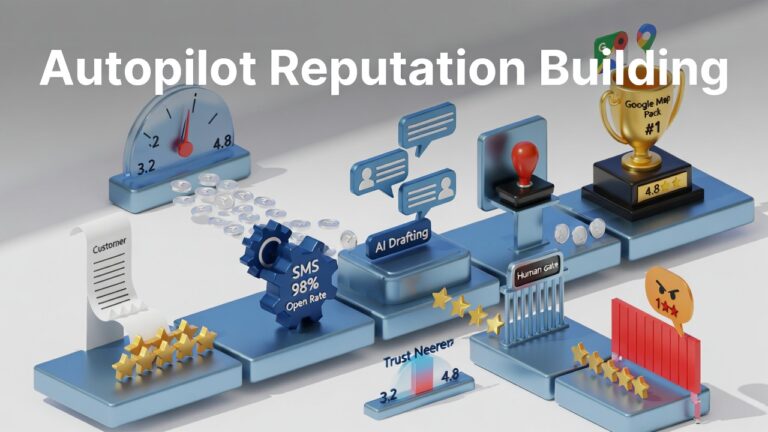
Your online reputation is the first thing potential customers check before they call, visit, or buy. In 2026, reviews aren’t just nice to have—they’re the currency of trust.
But here’s the problem: Manually chasing every customer for a rating and crafting unique responses to every review is a full-time job you probably don’t have time for.
So businesses face a choice: Ignore reviews (and watch competitors pass you by) or spend hours every week on reputation management (and neglect actual business operations).
There’s a third option: Smart automation that works for you without feeling robotic.
Here’s how to put your review management on autopilot while keeping the human touch that builds genuine loyalty.
Phase 1: Automating Review Collection
Here’s the truth about reviews: Most happy customers want to leave positive feedback. They just forget. Life gets busy, the moment passes, and your five-star review never gets written.
The secret is asking at the “Peak of Satisfaction”—that window right after they’ve experienced the value of your product or service.
Email Automation
Set up triggers in your CRM (HubSpot, Salesforce, Mailchimp, or similar) to send a review request 2-5 days after key events:
- Product delivery confirmed
- Service appointment completed
- Support ticket resolved positively
- Milestone achieved in customer relationship
Why it works: The timing matters. Too soon feels pushy. Too late and they’ve moved on. The 2-5 day window catches people while satisfaction is fresh but after they’ve had time to experience the value.
SMS Requests
Text messages have a 98% open rate—far higher than email. Tools like Podium, Birdeye, or EZTexting let you send a quick link directly to their phone.
Best practice: Keep it short. “Hi [Name], thanks for choosing us! Would you mind leaving a quick review? [link]” works better than paragraphs of text.
QR Codes on Physical Materials
If you ship products or have a physical location:
- Include a “Scan to Review” QR code on packing slips
- Add review requests to thank-you cards
- Display review QR codes at checkout counters
- Print them on receipts
Why it works: You’re meeting customers where they already are, in the moment when satisfaction is highest.
NPS-Triggered Review Requests
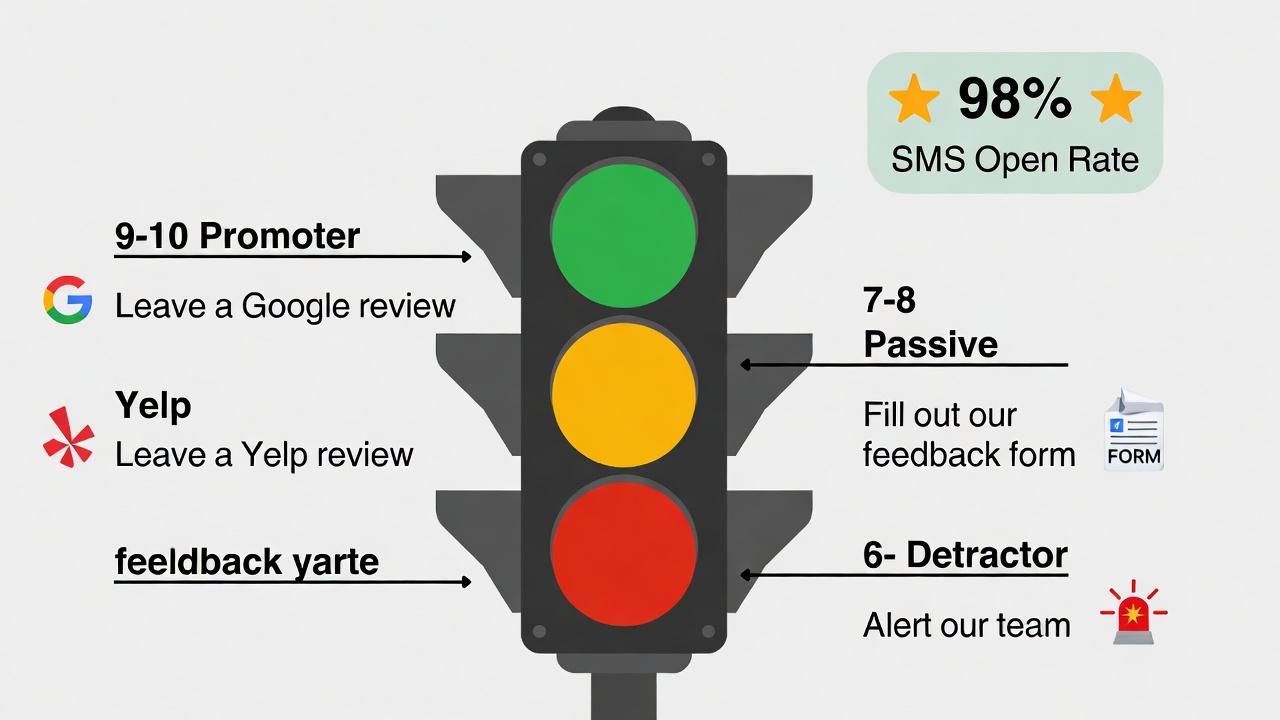
Use Net Promoter Score (NPS) tools like Wootric, Delighted, or AskNicely to survey customers first.
The automation logic:
- If someone gives you a 9 or 10 (Promoter), automatically redirect them to Google Business Profile, Trustpilot, or your preferred review platform
- If they give you a 7 or 8 (Passive), ask for specific feedback on how to improve
- If they give you 6 or below (Detractor), route them to a private feedback form and alert your team
Why it works: You channel happy customers toward public reviews while catching unhappy customers before they vent publicly.
Phase 2: Automating Review Responses
Responding to reviews improves your SEO, shows customers you care, and often influences future customers reading those responses.
But you don’t need to type every word from scratch. Here’s how to balance automation with authenticity.
Method 1: Managed Templates (Semi-Automated)
Most review platforms (Google Business Profile, Yelp, Facebook) let you save template responses. Create five variations for common scenarios:
5-Star Reviews (No Text):
- “Thank you so much for the 5 stars, [Name]! We’re glad you had a great experience.”
- “Thanks for the perfect rating, [Name]! We appreciate you choosing us.”
5-Star Reviews (With Specific Praise):
- “Thank you for the kind words about [specific praise mentioned], [Name]! [Employee name] will be thrilled to hear this.”
- “So glad you loved [specific element], [Name]! That’s exactly the experience we aim for.”
3-Star Reviews (Middle Ground):
- “Thanks for the feedback, [Name]. We’d love to learn more about how we could have earned 5 stars. Would you be open to a quick conversation?”
- “We appreciate your honest review, [Name]. We’re always looking to improve—please reach out if there’s anything we can do to make it right.”
1-Star Reviews (Complaints):
- “We’re sorry your experience didn’t meet expectations, [Name]. Please contact [owner/manager name] at [email/phone] so we can make this right.”
- “This isn’t the experience we want for any customer, [Name]. We’d appreciate the chance to understand what happened and fix it. Please reach out to [contact].”
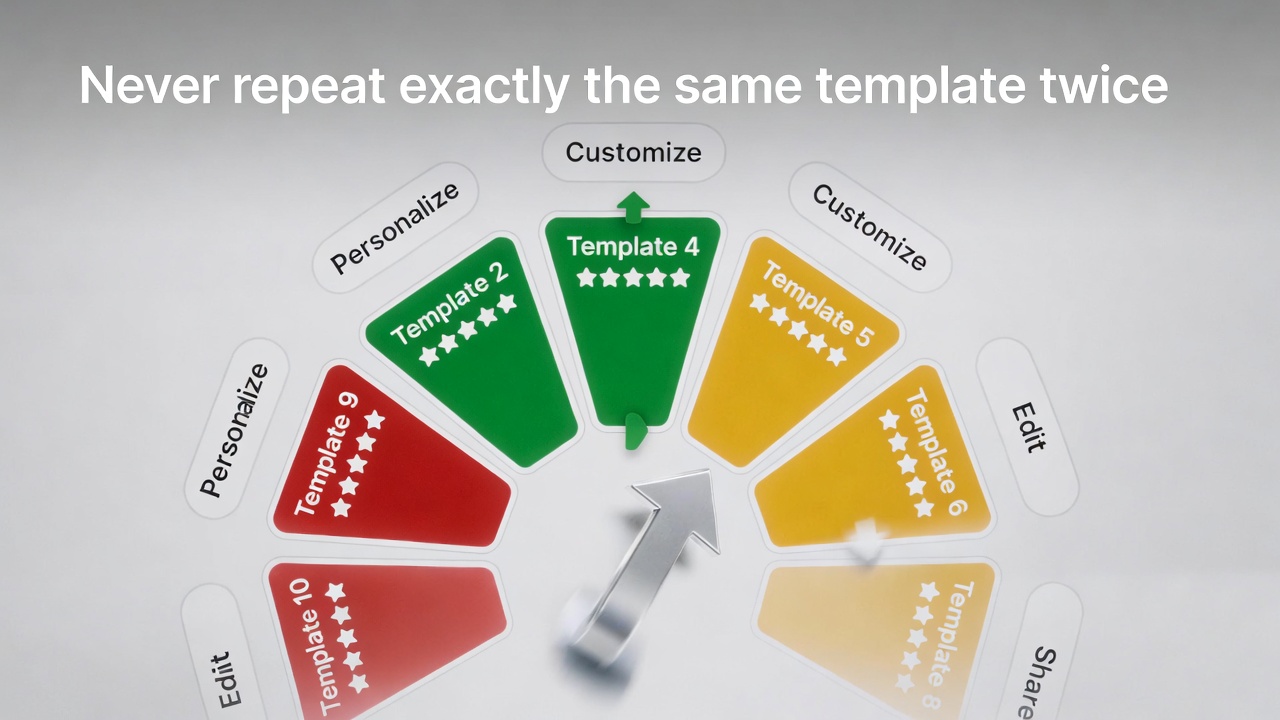
Key: Rotate through templates so your responses don’t look copied and pasted. Personalize where possible.
Method 2: AI-Powered Auto-Responders (Fully Automated)
Modern tools like ReviewTrackers, Yext, Reputation.com, or custom GPT-4 integrations can analyze review sentiment and draft contextually relevant responses.
How it works:
- AI reads the review text
- Identifies sentiment (positive, neutral, negative)
- Detects specific topics mentioned (staff, product, timing, etc.)
- Generates a personalized response referencing those specifics
Critical warning: Never set AI to auto-post for 1 or 2-star reviews. These require human attention to de-escalate situations and offer genuine solutions. Auto-posting a cheerful response to an angry customer is a reputation disaster.
Safe to automate: 4 and 5-star reviews with positive sentiment. Set negative and mixed reviews for human review before posting.
The Golden Rules of Review Automation
To ensure your automation builds trust rather than destroys it:
Rule 1: Personalize the Data
Use merge tags to include:
- Customer’s first name
- Product or service they purchased
- Location they visited (if applicable)
- Date of transaction
Why it matters: “Thank you for visiting our downtown location on Tuesday, Sarah!” feels personal. “Thank you for your business” feels automated.
Rule 2: Randomize Templates
If ten customers visit your Google profile and see the exact same response to every review, it looks fake – because it is.
Configure your system to rotate through multiple template variations. Even subtle differences (“Thank you!” vs. “Thanks so much!” vs. “We really appreciate it!”) break the pattern.
Rule 3: The 24-Hour Goal
Set your automation to trigger responses within 24 hours of a review posting. Speed signals attentiveness and high-quality customer service.
Delayed responses (48+ hours) suggest you’re not paying attention. Immediate responses (within minutes) can feel surveillance-like. The 24-hour window hits the sweet spot.
Rule 4: Never Auto-Respond to Negative Reviews
This bears repeating: Negative reviews require human judgment.
An angry customer needs to feel heard, not processed. They need a real person acknowledging the problem and offering a path to resolution. AI can draft suggestions, but a human should review and send.
The Review Response Cheat Sheet
Review Type | Response Method | Timing Goal |
5-star, no text | Full automation OK | Within 24 hours |
5-star, with praise | Semi-auto with personalization | Within 24 hours |
4-star, positive | Semi-auto with personalization | Within 24 hours |
3-star, mixed | Human review recommended | Same business day |
2-star or below | Human required | Within 4 hours |
Factually incorrect | Human required | Immediate |
Why This Effort Matters ?
For SEO:
A steady stream of fresh reviews—and consistent responses—signals to search engines that your business is active and reliable. This directly impacts local search rankings.
For Conversion:
Potential customers read your responses as much as the reviews themselves. Thoughtful, professional responses (even to negative reviews) demonstrate character and customer focus.
For Reputation:
Review volume correlates with trust. A business with 47 reviews and regular responses looks more legitimate than one with 8 reviews and silence.
For Operations:
Review automation creates a system that runs consistently, rather than depending on someone remembering to check platforms. Consistency beats occasional heroic efforts.
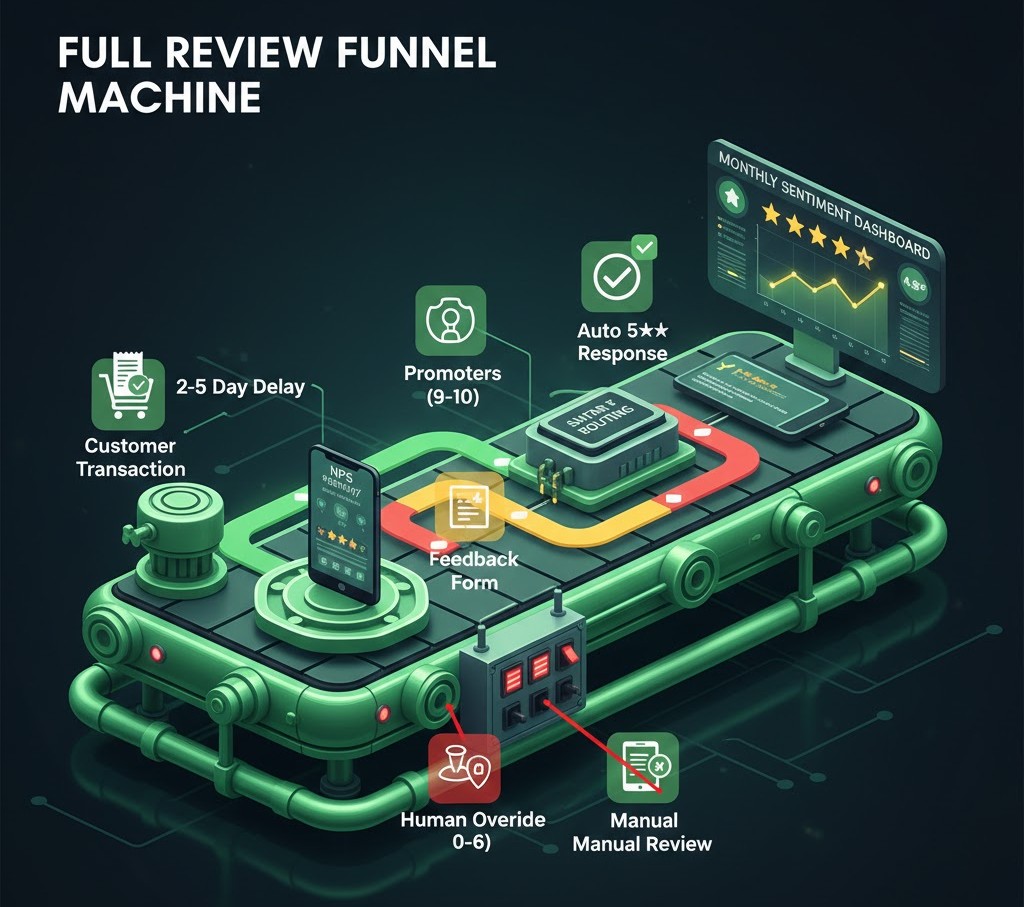
Advanced Strategy: The Review Funnel
For businesses ready to go deeper, build a complete review funnel:
- Trigger: Customer completes transaction or service
- Delay: Wait 2-5 days for satisfaction to solidify
- Survey: Send NPS or satisfaction survey
- Route: Direct promoters to review platforms, passives to feedback forms, detractors to private resolution
- Remind: If no action in 3 days, send one gentle follow-up
- Respond: Auto-respond to positive reviews, flag negative for human attention
- Analyze: Track review sentiment trends monthly
This systematic approach compounds over time, building a steady flow of fresh, positive reviews while catching problems before they become public complaints.
How AI Marketing Technology Handles Review Automation ?
At AI Marketing Technology, review management is a core part of our reputation management offering.
We provide:
Automated Collection: Smart triggers based on customer journey milestones, sent via email and SMS at optimal timing
AI-Assisted Responses: Human-supervised AI that drafts contextually relevant responses for efficient approval
Human Oversight for Negatives: Every negative review gets human attention before any response posts
Multi-Platform Management: Centralized dashboard for Google, Yelp, Facebook, and industry-specific platforms
Sentiment Analysis: Monthly reporting on review trends, sentiment shifts, and competitive positioning
Your reputation works for you 24/7. We make sure it’s building trust, not eroding it.
Frequently Asked Questions
Is it okay to automate review responses? Yes, for positive reviews—with appropriate personalization and template variation. Negative reviews should always receive human attention before responses are posted. The key is making automation feel genuine, not robotic.
When is the best time to ask for a review? Ask 2-5 days after the customer experiences value—after product delivery, service completion, or successful support resolution. This window catches satisfaction while it’s fresh but gives customers time to form an opinion.
How do I respond to negative reviews? Respond promptly (within hours), acknowledge the problem without being defensive, apologize for their experience, and offer to resolve the issue offline (provide direct contact info). Never argue in public. The response is as much for future readers as the original reviewer.
Do review responses affect SEO? Yes. Google values active, engaged businesses. Regular review responses signal that you’re paying attention and maintaining your online presence. This contributes to local SEO ranking factors alongside review volume and recency.
How many reviews does my business need? More is better, but consistency matters more than volume. A steady flow of 2-4 new reviews per month looks more natural than 50 reviews from last year and nothing since. Aim for freshness and sustainability.
Can I incentivize reviews? You can remind and ask, but offering direct incentives for positive reviews violates most platform terms of service (including Google’s). You can offer incentives for completing surveys, but the review request should be separate and non-conditional.
Ready to put your review management on autopilot? Contact AI Marketing Technology to learn how our reputation management systems build trust at scale.
